
OVA Uploads
The OVA Upload feature uses the AWS VM Import process under-the-hood to convert your OVA to an AMI. Refer to the AWS documentation for more details on supported operating systems and formats:
https://docs.aws.amazon.com/vm-import/latest/userguide/prerequisites.html#vmimport-operating-systems
To upload an OVA file, follow the below steps:
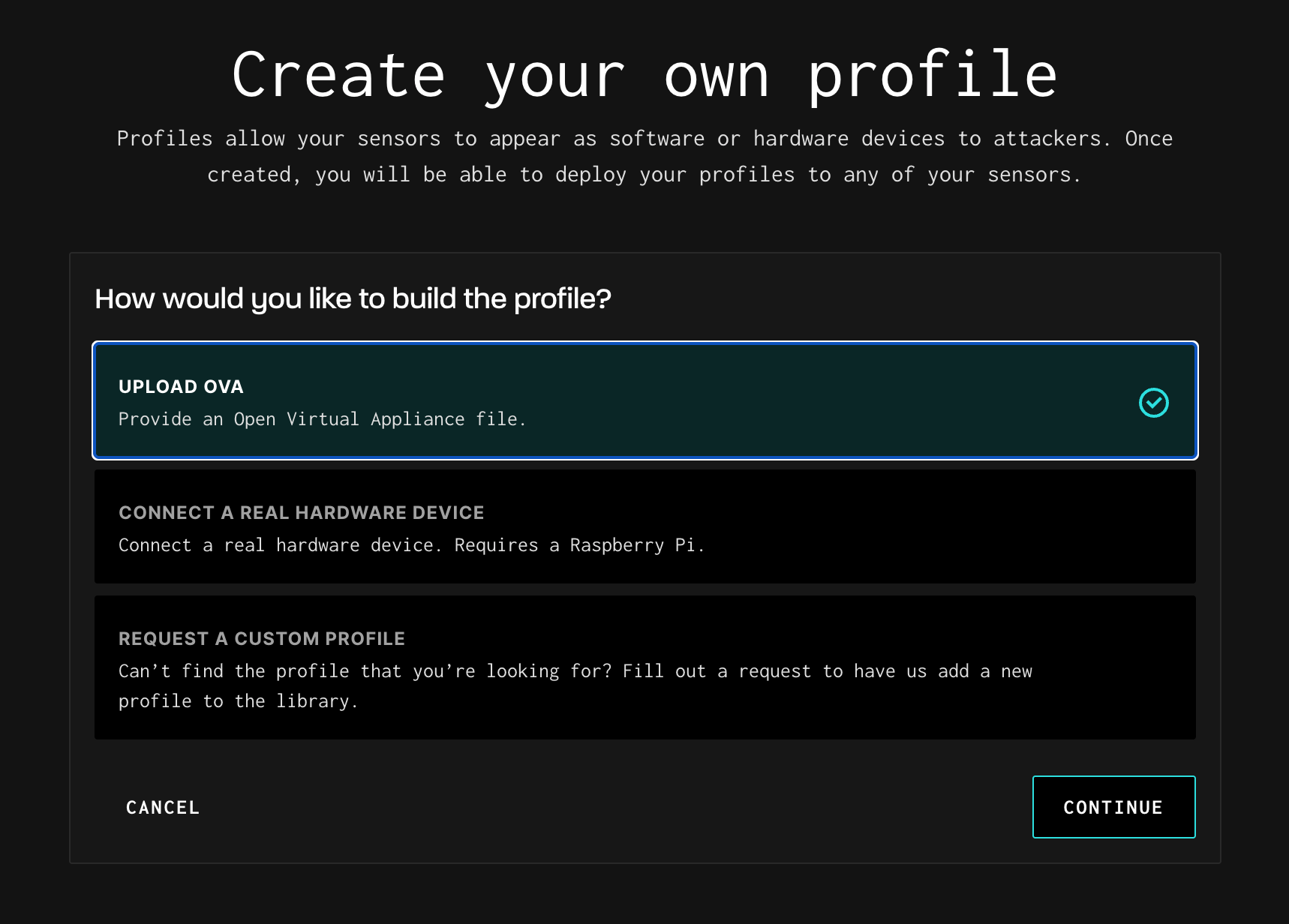
- From the Profile Library, click Create Profile in the upper right.
- Select Upload OVA and click Continue.
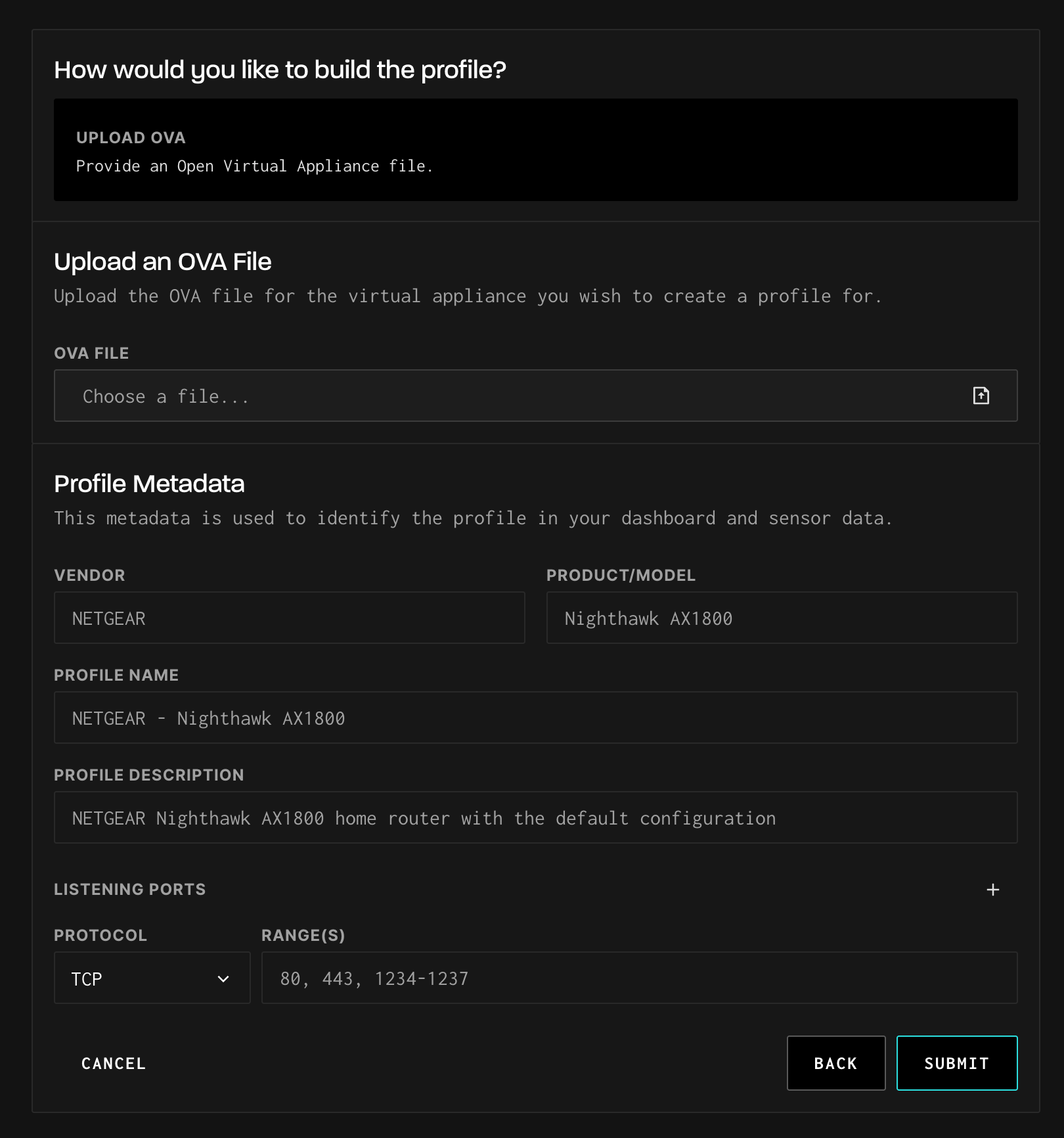
- Click Choose a file and select your .ova file from your local system.
- Fill in the Profile Metadata fields:
- Vendor: The manufacturer of the device (e.g., "NETGEAR")
- Product/Model: The specific product model (e.g., "Nighthawk AX1800")
- Profile Name: Auto-populated as "Vendor - Product/Model" but can be customized
- Profile Description: Describe what the profile does and its configuration
- Configure Listening Ports:
- Select the protocol (TCP or UDP)
- Enter port numbers or ranges (e.g., "80, 443, 1234-1237")
- Click + to add additional protocol/port combinations
- Click Submit to upload and process the OVA.
The OVA is provisioned on GreyNoise's cloud only after you assign it to a sensor.
Updated 5 months ago
Did this page help you?