
Natural Language Search
Natural language search helps you turn plain-English questions into structured GreyNoise queries. Describe what you want to investigate, review the generated query, then select it to continue your search.
Natural language search is available in:
- Classic search, where it generates GreyNoise Query Language (GNQL)
- Session Explorer, where it generates Lucene queries
Use natural language search
- Enter a question in the search bar using everyday language.
- Select Generated Query when it appears.
- Review the structured query that GreyNoise creates.
- Select the generated query to apply it, then run or refine your search.
For example, entering:
Show me IPs targeting Russia over the last week
can generate:
metadata.destination_country:Russia AND last_seen:1wYou can then edit the generated query or add filters before searching.


Classic search and GNQL
In classic search, natural language search converts your request into GNQL. This is useful when you know the outcome you want but do not know the GNQL fields or syntax required to express it.
Example requests:
Show me malicious IPsShow me malicious IPs in ChinaFind recently observed Palo Alto scannersShow activity targeting a specific country
The generated result preserves valid query components such as filters, quoted values, and exclusions where possible.
Session Explorer and Lucene
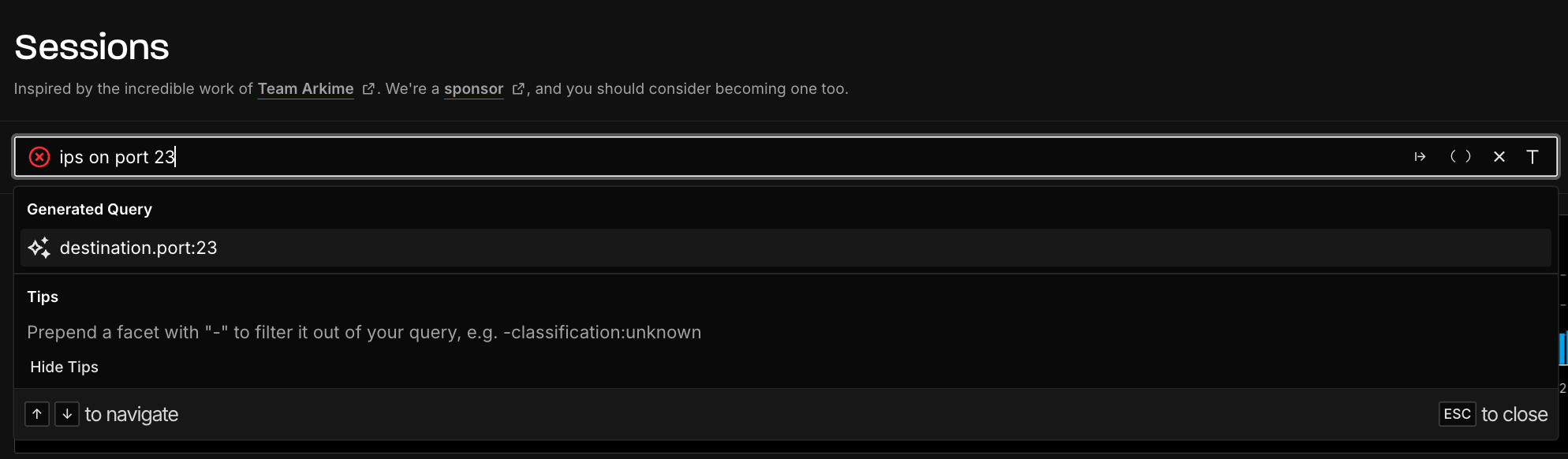
In Session Explorer, natural language search generates Lucene syntax for session data.
For example:
IPs on port 23
can generate:
port.dst:23Select the generated query to add it to the Session Explorer query builder. You can continue adding filters or modifying the query before running the search.

Enable natural language search
Natural language search is available only in the GreyNoise Visualizer 2.0. For customers, it is optional and disabled by default, so you need to turn it on before it appears in search. For free users, it's available by default.
- Sign in to the GreyNoise Visualizer.
- In the lower-left corner of the sidebar, click View available upgrades.
- On the Available Upgrades page, select Natural Language Search.
- Click Turn on NLP.
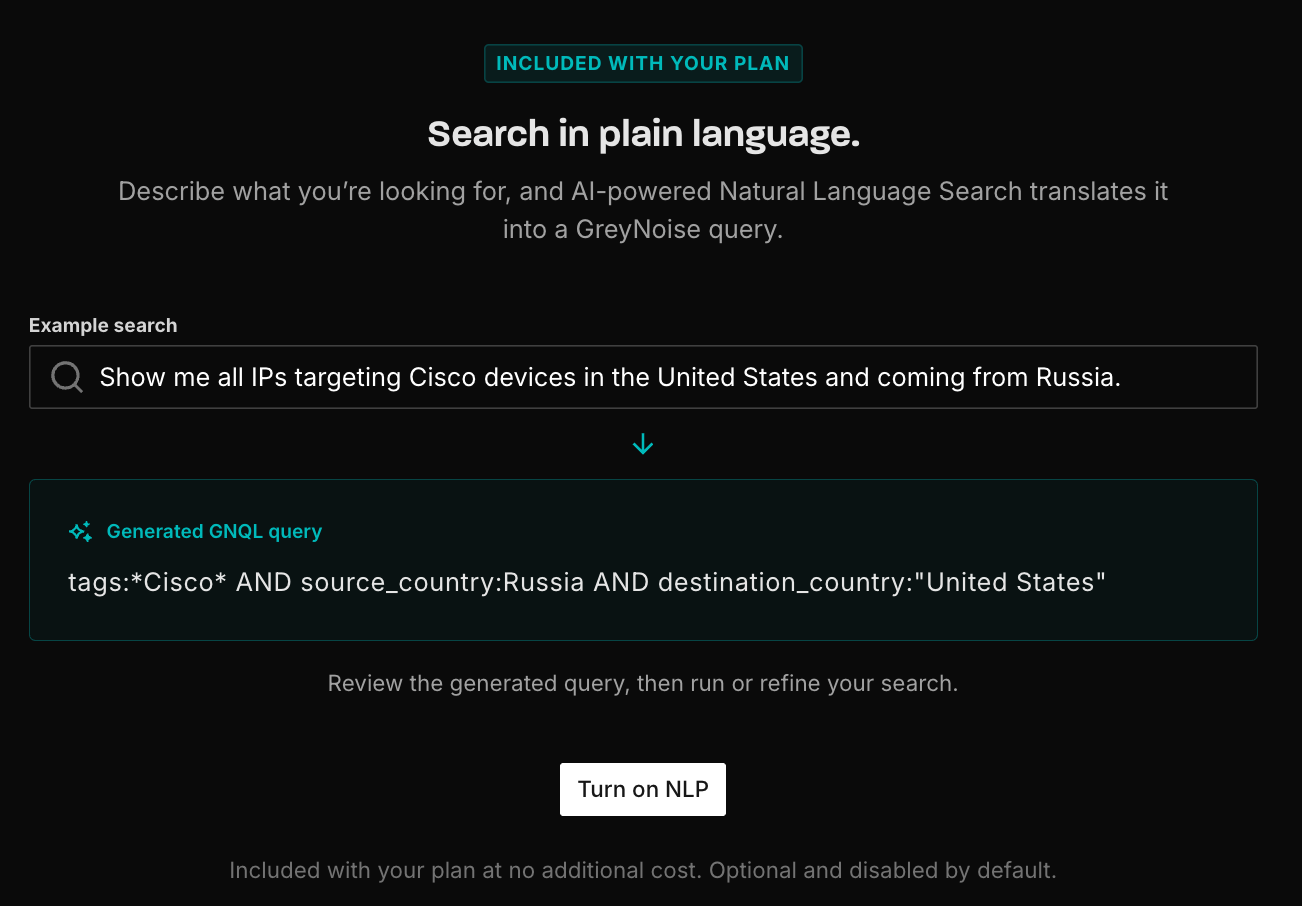
Natural language search is included with all plans at no additional cost.
ImportantNatural language search is not available in the Classic Visualizer. If you don't see the View available upgrades option, make sure you're using the GreyNoise Visualizer 2.0.
Tips and limitations
- Use a descriptive request rather than a few keywords; requests must be at least eight characters long.
- Select the generated query to use it. GreyNoise does not automatically run the search.
- Natural language search is intended for plain-English requests. Fully structured GNQL or Lucene queries are not translated.
- Review generated queries before execution, particularly for time ranges, geographic conditions, and complex investigative criteria.
- You can refine a generated query manually with additional filters and operators.
Updated 11 days ago