
Threat Briefs
Threat Briefs give you a centralized way to browse GreyNoise-written intelligence content inside the platform. You can discover briefs by category, search across available content, open individual briefs in the browser, and download PDF versions for offline use.
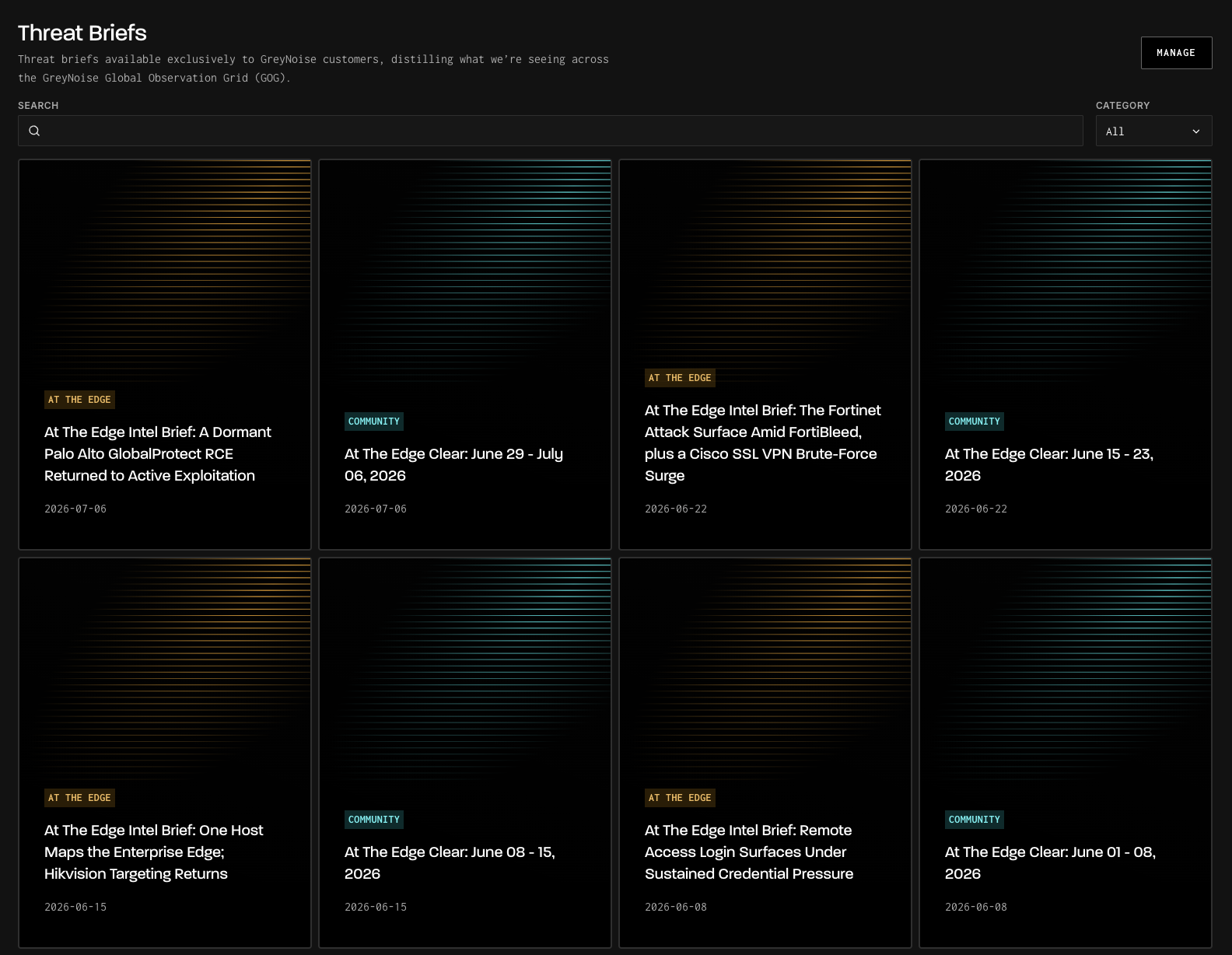
What's in a Threat Brief
Each Threat Brief includes:
- Title and description: A summary of what the brief covers, so you can quickly decide whether it's relevant to your investigation or reporting needs
- Category: The type of content, used for browsing and filtering
- Published date: When the brief was released
- The full report (PDF): The complete analysis, viewable directly in your browser or downloadable for offline reading and sharing with your team
Briefs are written and published by GreyNoise Research as noteworthy activity is observed and analyzed.
Accessing Threat Briefs
Threat Briefs live in the GreyNoise Visualizer at viz.greynoise.io/articles. You can also reach them by clicking on your name in the top navigation --> Threat Briefs.
The Threat Briefs page displays all briefs available to your account as a browsable gallery. From here you can:
- Search briefs by keyword to find coverage of a specific threat, product, or campaign
- Filter by category to narrow the list to the type of content you're interested in
- Page through results and adjust how many briefs are shown per page
Reading and Downloading a Brief
Selecting a brief opens its detail page, where the report renders directly in your browser, no download required.
To save a copy, use the Download button. The PDF downloads with the brief's title as the filename, ready to share with your team or attach to your own reporting.
Tip: The PDF may take a moment to load on the detail page. If you plan to reference a brief offline or include it in internal distribution, download the PDF directly.
Who can access Threat Briefs
- Community Users: At the Edge Clear briefs are available to all signed in GreyNoise users.
- Customers: Additional briefs, including Executive Situation Reports with deeper analysis and strategic context, as well as the full At the Edge reports are reserved for paying customers.
If you don't see a brief or category you expect, reach out to your GreyNoise account team or [email protected].
API Access
Use the Articles API to list, search, and retrieve briefs programmatically.
curl --request GET \
       --url https://api.greynoise.io/v3/articles \
       --header 'accept: application/json' \
       --header 'key: <api-key>'
Each result includes the brief's title, subtitle, description, category (with a label, value, and color matching the Visualizer's tagging), author, and links to its thumbnail and PDF. Use GET /v3/articles/{id} to retrieve a single brief by ID.
Tip: The list endpoint supports category and search query parameters for filtering, plus page and size for pagination. Full parameter and response details are in the API Reference.
See the API Reference for full endpoint documentation.
RSS Feed
Threat Briefs also publish to RSS, so you can subscribe from a feed reader instead of polling the API.
Public feed: https://api.greynoise.io/v3/articles/rss. No authentication required; includes only open-category briefs, like At the Edge.
Private feed: https://api.greynoise.io/v3/articles/rss/{token}. Includes every brief your plan is entitled to, including SITREPs for paying customers.
Important: Treat your private feed URL like an API key. If it's ever exposed, send a POST request to the same endpoint to regenerate the token and invalidate the old URL.
Updated 3 months ago